Showing posts with label Tweak. Show all posts
Group application windows together into a virtual desktop with this software that allows you to create exclusion rules for specific programs

Regardless of the purpose you're using a computer for, it always seems to get overwhelmed with desktop icons and other elements that make it difficult even to start a task. Luckily, the market is flooded with specialized applications like Actual Virtual Desktops that give you the possibility to not only extend your desktop's functionality, but also help you focus better on important tasks.
Easily configure more desktops

Right from the start, the application throws a quick guide at you to view a few general settings you can manage to get an idea of the purpose. You can go through with it, even though it's mostly text and pictures, with no interactive options to at least create a sample virtual desktop.

Sooner or later you end up in the configurations screen, because it's the only way you'll be able to have access to more desktops. It's the only window you get to work with and it's pretty well-organized, with several tabs piled up in a side panel to configure virtual desktops, window settings and hotkeys, each spreading a whole bunch of options in the main area.
Enhanced navigation with hotkeys

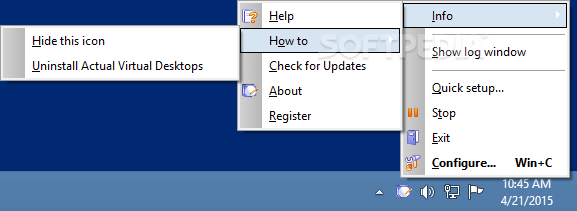
All new entries you create can be given a different name, so you can easily use a screen for entertainment and the other for personal projects. Accessing one is done through custom hotkeys, the system tray icon, or a compact window that also displays all programs active in each desktop.

For an enhanced overall experience, you can configure window and other program behaviors. Several commonly used applications are enlisted, with the possibility to have them launched or setting rules to prevent you from running them.

Hotkeys play an important role and are not only used to switch to new environments. General settings let you configure easy navigation, through elements, start or stop services, as well as bringing up the configuration window. In case a hotkey is used, the application lets you know so you can change it.
A few last words

Taking everything into consideration, we can say that Actual Virtual Desktops is a handy application when day-to-day activities you perform on a computer have you work with a lot of different windows. It spends most of its time in the system tray to let you benefit from all space, further extending it with customizable desktops, easy hotkey navigation and more.

Developer:Actual Tools
file size: 7.9 MB
License:Trial
operating system:: Windows 2K / XP / XP 64 bit / Vista / Vista 64 bit / 7 / 7 64 bit / 8 / 8 64 bit / 2003 / 2008 / 2008 64 bit / 2008 R2

Download

:DOWNLOAD
A comprehensive enhancement for your Windows operating system that enables you to easily and quickly access folders from your computer

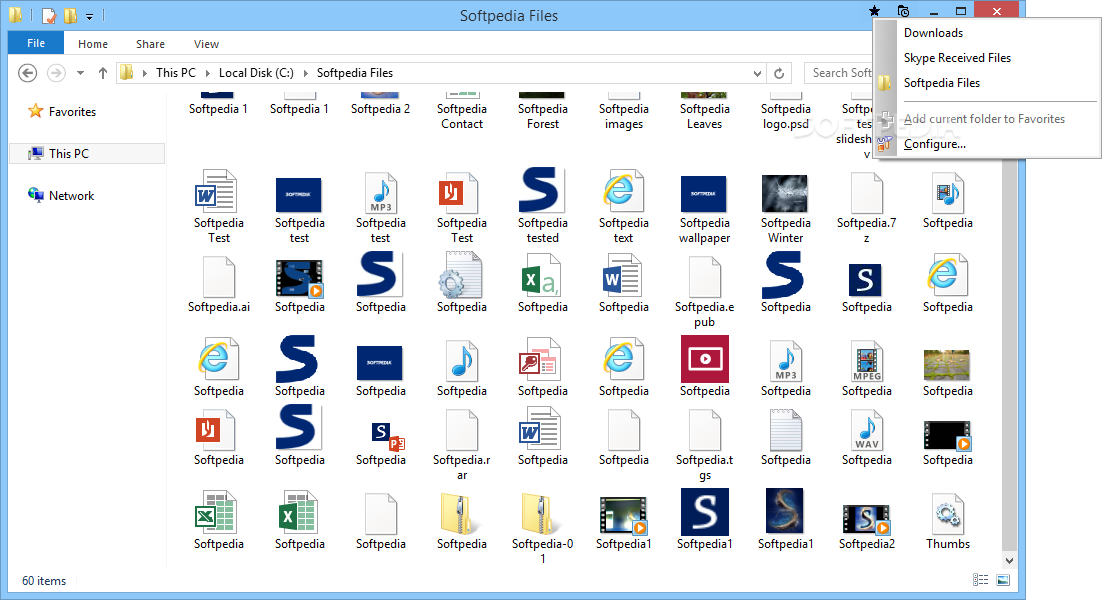
Actual File Folders is an application created to help you navigate to favorite and recent folders by creating two new icons in your explorer windows.

The the list of favorite folders can be customized to lead to any directory on your system, no matter the path and you can set the history level of the application.


Developer:Actual Tools
file size: 7.6 MB
License:Trial
operating system:: Windows XP / XP 64 bit / Vista / Vista 64 bit / 7 / 7 64 bit / 8 / 8 64 bit / 2003 / 2008 / 2008 64 bit

Download

:DOWNLOAD
Powerful utilities that increase your PC performance and maintain your system


Glary Utilities application is a collection of system tools and utilities to fix, speed up, maintain and protect your computer.

Glary Utilities is a handy tool with registry and disk cleaning, privacy protection, performance accelerator and amazing multifunctional tools. It can fix dogged registry errors, wipe off clutters, optimize internet speed, safeguard confidential files and maintain maximum performance.

It is designed for both novice and professionals. User-friendly interface shows clear and detailed directions. For novice, all work can be done with just 1 or 2 clicks, while for professionals, abundant options are available. To call Glary Utilities helpful would drastically understate the situation. It hopes to become your INDISPENSABLE friend with its one-stop-shop utilities for optimizing and maintaining your PC for best performance.
system optimizer | system diagnostic | disk cleaner | optimizer | optimize | cleaner

Here are some key features of "Glary Utilities":

· Disk Cleaner - Removes junk data from your disks and recovers disk space
· Registry Cleaner - Scan and clean up your registry to improve your system's performance.
· Shortcuts Fixer - Corrects the errors in your startmenu & desktop shortcuts
· Startup Manager - Manages programs which run automatically on startup
· Memory Optimizer - Monitors and optimizes free memory in the background
· Tracks Eraser - Erases all the traces,evidences,cookies,internet history and more
· File Shredder - Erases files permanently so that no one can recover them
· Internet Explorer Assistant - Manages Internet Explorer Add-ons and restores hijacked settings
· Disk Analysis - Get details information of the desired files and folders
· Duplicate Files Finder - Searchs for space-wasting and error producing duplicate files
· Empty Folders Finder - Find and remove empty folders in your windows
· Uninstall Manager - Completely uninstall programs you don't need any more

Requirements:

· Graphics mode 800x600 with 16-bit colors
· 20 MB free hard disk space at least
· Intel Pentium or AMD K5 processor with 133 MHz
· 32 MB RAM
New in Glary Utilities:

    Fixed Quick Search and Disk SpeedUp: Startup scheduled tasks' start time is set incorrectly
    Optimized Tracks Eraser: added 'Yaoo Toolbar' and 'Advanced Searchbar'
    Optimized Disk Cleaner: added 'MySpaceIM' and 'Acronis True Image'
    Minor GUI improvements
Publisher:GlarySoft Inc
License:Freeware
Size/OS::14.5 MB / Windows 2K / XP / XP 64 bit / Vista / Vista 64 bit / 7 / 7 64 bit / 8 / 8 64 bit

Download

:Glary Utilities

A user-friendly and compact program worth having when you need to record your mouse actions, insert new actions, and assign hotkeys

Mouse Macro Recorder is a lightweight software application built specifically for helping you get rid of repetitive tasks by recording your mouse activity and save it as a macro.

It comes in handy especially when you need to refresh multiple webpages, run multiple instances of another program, click on various items in games, or other situations.

The layout is intuitive enough to be configured without having to consult a help manual or watch online tutorials.

The program gives you the possibility to start or stop the recording process, specify the macro name, capture the mouse moves and keystrokes during the recording process, as well as assign hotkeys for activating and deactivating the recording operation.

One of the best features bundled in this tool enables you to insert actions for the selected macro, and you are allowed to select the mouse button and action (e.g. single or double click), and tweak the mouse clicks (e.g. click where the mouse is or on a fixed point).

Additionally, you can specify the area (x and y coordinates) where the recording task is carried out, choose the keystroke, type a user-defined text, and enter the delay time.

What’s more, you can edit, delete, or run the selected macro, stop the macro, schedule tasks (e.g. every day, week, month), view information about each recorded macro (e.g. name, creation time, status, start and stop hotkeys, repeating time, schedule time), and configure the repeating parameters, interval time, and speed.

During our testing we have noticed that Mouse Macro Recorder carries out a task very quickly, and no errors showed up throughout the entire process. It doesn’t eat up a lot of CPU and memory, so the overall performance of the computer is not hampered.

All in all, Mouse Macro Recorder provides a handy set of parameters for helping you record your mouse actions. Thanks to its intuitive layout, it is suitable for rookies and professionals alike.


Developer:AMAC ltd.
file size:702 KB
License:Trial
operating system::Windows XP / Vista / Vista 64 bit / 7 / 7 64 bit / 8 / 2003

Download

:DOWNLOAD
A powerful and intuitive application that allows you to completely remove Windows programs by scanning your computer for obsolete files
Smarty Uninstaller enables you to clear your computer by completely eliminating any obsolete application.

At most cases Windows applications are very complicated. They put large number of traces to your system. Especially that refers to such things as entries in Windows Registry, Program Files and Shortcuts. In general the problem lies in Uninstaller (simply, an uninstaller is the opposite of an installer.

During the uninstallation, the uninstaller removes all the components which were installed) that can't properly remove all traces in Windows. Also some users simply don't use uninstaller!

They just delete the application program files from hard drive. Other traces still remain untouched! Large amount of junk traces will make your PC much slower.
Here are some key features of "Smarty Uninstaller":
uninstall manager | delete program | remove application | uninstall | uninstaller | remove

  • COMPLETELY removes applications from your PC (all files, shortcuts and registry entries)
  • Easy to use and modern user interface allows to comfortably work with Smarty Uninstaller!
  • Very fast and reliable. More comfortable solution than regular Windows Add/Remove.
  • Smart Protection feature. This feature will protect critical system components. You will not be able to delete system files accidentally or in any other way.
  • Uninstall applications using drag-drop and context menu! Just drop application's icon on Smarty Uninstaller icon on the desktop. Or choose appropriate command in context menu (Right mouse click).
  • Create a queue of applications for analyzing or uninstalling (you can select more than one application at same time)
  • Smarty Analyzer will deeply scan your computer for traces left by selected application.
  • Force uninstalling applications with broken uninstaller! Complete uninstall.
  • Automatically detects invalid installations and give ways to fix them
  • Detailed information about application (Name, Version, Size, Install location etc.)
  • Create and Print detailed reports about installed applications. (html formatted)
  • Smarty Analyzer will deeply scan your computer for traces left by selected application.
  • Backup your system directly from Smarty Uninstaller.
  • Useful tips and detailed Help provide you with all information you need to work with it.
  • Multilanguage interface!
  • Fast search feature allows to quickly find application you need.
Requirements:
  • .Net Framework 3.5
Limitations in the trial version:
  • 21-day trial
  • Nag screen
What's New in This Release:
  • A pop-up message will be informing non-administrative users about the requirement to start Smarty Uninstaller with the administrative rights.
  • Updated German translation
  • Few minor fixes
Publisher:WINner Tweak Software Development Team
License:Trial
Size/OS::5 MB / Windows XP / XP 64 bit / Vista / Vista 64 bit / 7 / 7 64 bit / 8 / 8 64 bit / 2003 / 2008

Download

:Smarty Uninstaller
Accelerates any Windows internet connection in seconds by optimizing the settings of the network and reducing page loads for browsing
Internet Accelerator is an application that will improve various configuration settings which are affecting your network and Internet connection speed.

When Windows is installed, these settings are in most cases not optimized for the Internet or for your particular network connection and actually prevent you from reaching maximum download and upload speeds.

Previously, there was no simple way to edit these settings manually without dangerously exploring and modifying the Windows registry by hand, however Internet Accelerator now makes it easy for anyone to reach maximum performance with a few clicks.
Internet Accelerator | Internet connection speed | network improvement | boost | accelerator | accelerate

Requirements:
  • Internet Connection
What's New in This Release:
  • Added support for Windows Vista.
  • Improved the optimizations for several operation systems.
  • The selected Network Adapter is saved and loaded at program startup.
Publisher:Pointstone Software
License:Freeware
Size/OS::1.5 MB / Windows XP / Vista / 7

Download

:Pointstone Internet Accelerator
A networking scheduler for courier business
OrgCourier is perfect for couriers to plan working hours so that the orders do not overlap with someone else and keep track of scheduled appointments. It'll store the information about clients, such as their address, telephone, email and comments.

This modern and extremely handy program makes management a real pleasure. Included are two viewing modes, an automatic search option and password protection. The program has a handy interface to calculate and show the "fee charged", helping you to make decisions quickly. It's possible to create reminders to alert couriers about the things they should do.

This software also includes automatic search and auto-field filling for a certain customer, who has already been added to the database.
courier scheduler | delivery planner | client database | courier | scheduler | manager


You can view the information about payments, daily income for any day at any moment when you need it. For those people, who work in Microsoft Outlook, it's possible to export data. Export of data is available to different formats: XLS, TXT, HTML, XML for its adaptation for other programs. In case of crashes or virus attacks, there is an auto backup function with a possibility to remove old archives automatically.
Requirements:
  • Intel Pentium processor (or compatible) at 133 MHz or higher
  • 64 MB RAM minimum
  • 10 MB of available hard disk space ( 25 MB for the server)
Limitations in the trial version:
  • 14-days trial period
  • Nag screen
What's New in This Release:
  • Export/import to/from Outlook bugs fixed.
Publisher:OrgBusiness Software
License:Trial
Size/OS::30.5 MB / Windows All

Download

:OrgCourier for Workgroup
A comprehensible and versatile software application designed to help you optimize and maintain your system's health and security
Kerish Doctor is the Windows Maintenance Center which features the latest technology developments.

Kerish Doctor unique system prevents Windows failures in real-time and regularly repairs Registry errors.

Application performs thorough and safe cleanup by removing junk files and outdated cache from your PC, which significantly boosting its performance.

Kerish Doctor protects your computer from malicious software and potential security threats by monitoring all vital system security vulnerabilities.

Smart Update system promptly updates the software database which is regularly improved by our experts.

This feature makes Kerish Doctor constantly increase its efficiency and makes it one of the best solutions of its class.

By using Kerish Doctor, you can optimize your computer in order to run faster.
Here are some key features of "Kerish Doctor":
system optimizer | optimize system | system cleaner | repair | maintenance | clean

  • Windows Failure Prevention
  • Junk Files Cleaning
  • Games Acceleration
  • Protection from Malware
  • System Registry Repair
  • Outdated Software Cache Cleaning
  • Windows Settings Optimization
  • Potential Vulnerability Elimination
  • Hardware Temperature Control
  • Start Menu & Shortcuts Maintenance
  • Speed of Internet Connection Optimization
  • Windows Startup Control
Requirements:
  • Processor 1 Ghz (Windows 8, 7, Vista), 400 Mhz (Windows XP)
  • 512 MB or higher
  • 50 MB free disk space
  • Of at least 1024x768
Limitations in the trial version:
  • 15 days trial period
What's New in This Release
  • Added Deletion of empty folders
  • Added new tool "Web Browser Extensions"
  • Added new tool "Integration with Windows"
  • Added new tool "Scheduler"
  • Added new tool "File Shredder"
  • Error fixing was upgraded: addded new category "Program Compatibility Assistant"
  • Error fixing was upgraded: addded new category "Potential Windows Failures"
  • Security engine was upgraded: added Adware/Riskware/Remote-Admin classification
  • "Startup Control" component was upgraded to more global "PC Control"
  • Manual "Cleanup of Junk Files" was upgraded
  • Bug fixed
Publisher:Kerish Products
License:Trial
Size/OS::24.8 MB / Windows 2K / XP / Vista / Vista 64 bit / 7 / 7 64 bit / 8 / 8 64 bit / 2003 / 2008 / 2008 R2 / Server 2012

Download

:Kerish Doctor 2014 4.55
The most easy-to-use, intelligent and powerful next-generation system utility to repair your computer and let your Windows fly

Slow down, freeze, crash and security threats are over. Advanced SystemCare FREE is a comprehensive PC care utility that takes an one-click approach to help protect, repair and optimize your computer. Advanced SystemCare is a very useful and powerful system tweak application.

Scanning and finding what other utilities miss, it can keep your PC error-free and smooth than ever. This fantastic program is available free of charge.

Powerful Hard Drive Defragmentation High-speed Disk Defrag function to defragment hard drives up to 10 times faster than other defragmentation tools. Next-generation Registry Clean and Optimization Safely cleans registry junk, compacts registry bloats and defragment the whole registry for maximum performance.

Defends PC Security with Extra Protection Detect and analyze Windows security environment. Scans and removes spyware and adware using up-to-date definition files. Prevents spyware, hackers and hijackers from installing malicious items on your computer.
The software can also erase / update your PC’s activity history and features a quick and extensive clean-up function that can boost system’s performance.

Speeds Up PC Performance and Internet Access Tunes up Windows by unleashing the built-in power of your system.
repair computer | system tweak | system optimizer | repair | tweak | optimize


Here are some key features of "Advanced SystemCare FREE":
  • Scan and remove spyware and adware with the latest definition
  • Prevent spyware, hijackers and bad websites from being installed
  • Erase the history of all activities in your computer
  • Scan and fix invalid and improper registry entries
  • Detect and remove invalid startup items
  • Search and Clean up unused Windows garbage
  • Repair system configurations, Eliminate System Bottlenecks and Prevent Crashes
  • Tune up Windows to improve both system and Internet performance, unleash the power of your Windows
  • Analyze and Show detailed information of hardware and Windows
  • Finish all Work with one click, Super Easy to Use
Requirements:
  • 1 GHz processor or faster processor
  • 512 MB of RAM
  • 100 MB of free hard disk space
What's New in This Release:
  • Security Reinforce - Added this brand-new feature to reinforce the security of system weakness to avoid hacker's invading, especially for Windows XP.
  • Support Windows XP Permanently - Advanced SystemCare will continue support Windows XP to ensure Windows XP's security and performance.
  • PCtransfer - Added PCtransfer in Toolbox, the best free and portable data transfer assistant.
  • IObit Uninstaller - Updated to IObit Uninstaller 3.2, which supports the detection of apps installed from Chrome Web Store and accelerates Powerful Scan.
  • Vulnerability Fix - Supported the update of Windows XP's already known security holes to maximally ensure Windows XP's security.
  • Homepage Protection - Strengthened the protection feature and made the UI more user friendly.
  • Latest Browsers - Homepage Protection, Surfing Protection & Internet Booster support Firefox 28, Chrome 34.
  • Privacy Sweep - Added support for Chrome 34, Firefox 28,Opera 20, KMplayer 3.8, Auslogics Disk Defrag 4.5, Malwarebytes Anti-Ma...
Users are advised to pay attention while installing this ad-supported application:
  • Offers to change the homepage for web browsers installed in the system
  • Offers to change the default search engine for web browsers installed in the system
  • Offers to download or install software or components (such as browser toolbars) that the program does not require to fully function
Publisher:IObit
License:Freeware
Size/OS::22.3 MB / Windows 2K / XP / Vista / Vista 64 bit / 7 / 7 64 bit / 8 / 8 64 bit

Download

:Advanced SystemCare
A Lightweight and Fast Archiving Software
Bandizip is an intuitive and fast archiving application that supports WinZip, 7-Zip, and WinRAR, as well as other archive formats.

Bandizip supports for ZIP, 7Z, RAR, ALZ, EGG, TAR, BH, LZH, GZ, BZ2, ISO, CAB, WIM, XZ, ARJ, and Z archives files and users can create self-extracting files (.EXE) and multi-volume (split) archives files.

Bandizip has very fast Zip algorithm for compression & extraction by "Fast Drag and Drop" and "High Speed Archiving" function.

When you archive multimedia files (AVI, WMV, MP3) or archived files (ZIP, RAR, 7Z), you can't get good compression results. These files are hard to compress and sometimes the file size could be bigger than the original one.

Bandizip's "High Speed Archiving" function will allow you to compress or bypass the files its own algorithm. It will increase the archiving speed dramatically.
Create Archive | Extract Archive | File Compression | Archive | Extract | Compression


A number of file archiving software extract files to temporary folder, and then it copies the files to the targeted folder. Bandizip's "Fast Drag & Drop" function does not use temporary folder, and it just extracts to the targeted folder directly. It will increase the extraction speed dramatically.

Another advantage of Bandizip is that it supports Unicode system perfectly. Bandizip has "Code Page", and it will allow you to select a language in archive without breaking international characters.

You can also download Bandizip Portable.
What's New in This Release 
  • Improved security of Bandizip.
  • Bugs fixed - Failed to extract splitted .ace files
  • Others
Publisher:Bandisoft
License:Freeware
Size/OS::4.1 MB / Windows XP / XP 64 bit / Vista / Vista 64 bit / 7 / 7 64 bit / 8 / 8 64 bit / 2003

Download

:Bandizip
Free registry cleaning and optimization utility

The system registry is one of the most important components of the operating system. The stability of the system's operation depends upon it being in working order, and the speed of the applications you work with depends upon the volume of data contained in it.

The Registry Life application was designed to be a small tool that will help you correct errors in the registry and optimizes it, increasing the working speed and stability of the system. It's a compact, simple to use, and FREE solution for servicing your system registry.

Here are some key features of "Registry Life":
Registry Fixer | Fix Registry | Repair Registry | Registry | Fixer | Fix


· Find and fix more than 10 types of registry errors.
· Perform registry compression. With this process, space occupied by registry files but never required will be freed up. This process makes the registry load faster into memory and increases the amount of free space on your hard disk.

· Perform registry defragmentation. With this operation, the layout of the registry files on the hard disk will be optimized, also making the registry load faster into memory, and in addition, increasing the speed of the system as a whole.

· Set a schedule for regular automatic registry optimization, for example, once a week. This option is available due to the fact that, unlike other similar programs, Registry Life performs compression and defragmentation prior to system startup.

What's New in This Release:

· The logic of working with the registry and disk cleanup results window has been improved. Now all entries for which the checkmarks were taken off are automatically added to the exclusion list and will not be located during the next cleanup. Formerly, such entries were ignored during the current cleanup session only.

· The ignore list of the registry cleanup function has been updated.

Users are advised to pay attention while installing this ad-supported application:

· Offers to download or install software or components that the program does not require to fully function
Publisher:ChemTable Software
License:Freeware
Size/OS::17.1 MB / Windows 2K / XP / XP 64 bit / Vista / Vista 64 bit / 7 / 7 64 bit / 8 / 8 64 bit

Download

:Registry Life
Get your PC in top shape! The PC optimization workout

There are numerous software solutions that help users carry out regular maintenance of their PC, just to make sure everything functioning smoothly and that they will not be affected by errors when opening their computer. A popular application that can keep one's PC in good shape is TuneUp Utilities.

Installing TuneUp Utilities can take a while especially if Custom mode is selected, as it guides users through the whole process thus allowing them to choose the elements that need to be installed. Within a few minutes, one can get a correctly configured utility ready to keep the computer fully functional.

The interface is both well organized and user-friendly, which enables users to explore all the tabs with ease, especially since TuneUp Utilities is a complex application with tons of features and numerous tools for optimizing the computer. Each function is presented in a very pleasant and intuitive way.

All major tools are grouped into tabs, while the Settings menu can be easily accessed from the top of the interface. Along with the optimization features, developers have also included a Windows Customization option so, besides cleaning the registry, removing broken shortcuts or accelerating the system shutdown, the user can also change the logon screen, the visual style or modify animations and effects.

system optimizer | optimize windows | tuneup computer | tune | tuneup | optimizeFor beginner users, the 1-Click Maintenance function comes in handy, yet care is still recommended. Not only can they can do something wrong, but also TuneUp must be correctly configured to generate the best results, therefore it is the experts who can appreciate the true value of the software.

To sum it up, TuneUp Utilities is, without any doubt, one of the best apps in this category, so paying a reasonable fee for keeping one's computer in shape and run it at maximum speed might turn out to be a good trade.

The easy and complete all-round PC optimization workout. More than 30 tools guarantee PCs maintain peak performance when working, playing, and gaming. Even when not needed, background processes, services, and scheduled tasks will often be running.

With the new TuneUp Program Deactivator, you can turn off programs on demand, completely automatically, thus reducing the demands on your PC. The result: that “Windows like it was on the very first day!" feeling. The brand-new Economy Mode offers extra mobility – just with the click of a button. It extends battery run-time on notebooks, netbooks and tablet PCs running Windows by up to 30%, while also reducing energy consumption by up to 30%. And it even optimizes power management under Windows.

Forget annoying time spent waiting, slow response times, unstable systems, and frequent crashes. The tuning suite in TuneUp Utilities includes a range of easy-to-use tools to reliably improve the performance of your PC. Turbo Mode, for example, enables you to shut down over 70 applications that bring your PC to a crawl with just a single click. In addition, proven maintenance features allow you to perform a full registry clean-up and much, much more.

A special rating function checks the usefulness of programs at any time. This provides a sound basis for decisions when installing and deactivating programs, or adding and removing autostart entries. Plus there’s the Optimization Status feature which enables you to check the effectiveness of tuning steps carried out.

TuneUp Utilities is a complete suite of tools designed to enable you to effectively optimize your system performance.

Here are some key features of "TuneUp Utilities":

TuneUp Start page:
· Intuitive Layout, Easy to Use
· Provides quick and easy access to the most critical optimization functions
· A single yet comprehensive appraisal of your PC's current performance and overall system health

TuneUp Speed Optimizer:
· Intelligent, Powerful Utility for any User Skill Level
· Easy optimization in just a few clicks
· Identifies unused programs and resource-draining functions
· Recommends tools for optimal PC performance

TuneUp 1-Click Maintenance:
· Automatic, Fast Optimization
· Enables one-click maintenance of the most important functions of your PC
· Cleans the Windows registry
· Deletes temporary files and folders
· Increases the system performance through integrated defragmentation
· Streamlines your desktop and simplifies folder shortcuts with one click

TuneUp Drive Defrag:
· Intelligent defragmentation with new progress display

TuneUp System Control:
· Supports Opera

TuneUp Uninstall Manager:
· Intuitive uninstall options

TuneUp Startup Manager:
· Increases the speed at the start-up of your PC

TuneUp Registry Cleaner:
· More powerful tool with in-depth view of your PC registry

Requirements:

· Min. 300 MHz processor
· 256 MB RAM
· Screen resolution at least 1024x600 pixels
· For online version: at least 80 MB of free disk space
· For CD version: at least 300 MB of free disk space (and CD-ROM or DVD drive)
· Internet Explorer 6 or higher

Limitations:

· 15 days trial period
· Nag screen
What's New in This Release:

  • The Swift TuneUp Flight Mode:
  • Are you a frequent flyer? Then you will surely welcome the new TuneUp Flight Mode switch, allowing to turn off both Wifi and Bluetooth with a single mouse click, which does not only save your time, but also prolongs your laptop's battery life.
  • The Thorough TuneUp Duplicate Finder:
  • TuneUp Duplicate Finder allows you to quickly find duplicate files on your hard disk and comfortably remove them. This frees up precious disk space and helps you to reduce digital junk levels.
  • The Even Better Arranged User Interface:
  • The whole user interface is now cleaner and more user friendly, allowing you to find and access the most important tools much quicker. The opening Dashboard screen (former Status & Recommendations) is where most changes took place - and it has never been better arranged than now!
  • The Even More Attractive Graphic Design:
  • The TuneUp Utilities 2014 was given a brand new look, so it now offers more pleasant and attractive working environment.
Publisher:TuneUp Software GmbH
License:Trial
Size/OS::34 MB / Windows 2K / XP / XP 64 bit / Vista / Vista 64 bit / 7 / 7 64 bit / 8 / 8 64 bit

Download

:TuneUp Utilities
A comprehensive and versatile application that helps you to create multiple RAM disks and save temporary files on them, so you won't affect your PC performance

RamDisk Plus is a practical and reliable software solution worth having around when you need to add, modify or remove RAM disks from your computer.

The main purpose of these RAM disks (or RAM drives) is to temporarily store data and cache files/folders, so computer performance is not affected. 

Since the application supports a large number of RAM disks, each one can be built on specific NUMA nodes. NUMA, also known as non-uniform memory access, is a computer memory that lets the processor access its local memory faster than the non-local memory.

Depending on the system, you can create RAM disks of various sizes. Simply access the proper button from the toolbar and add new ones. You are required to specify the RAM disk’s size, assign a letter, change the format to NTFS or FAT, set up a new volume label and mount a new RAM disk automatically.

Security features are also available in RamDisk Plus. When you create a new RAM device, the second step of the wizard allows you to check a box, entitled ‘Zero memory when removed or restored’. This ensures that the entire content of the disk is wiped when it is removed from the system.
RAMDisk creator | RAM drive | virtual disk | RAMDisk | storage | drive
Additionally, you can backup your RAM disks, restore the files and folders from these drives or preserve the RAM disk’s associated image file. These options are available from the right-click menu.

The ‘Auto-Wipe’ feature (which is available from the File menu) monitors all user logon and logoff events. This is useful in secured environments where more than one user can use the PC, but never more than one concurrently.

In closing, RamDisk Plus is a handy and straightforward application that comes in handy for users who need to create multiple RAM disks with personalized labels and predefined sizes.


Preserve your data in your RAM memory between system restarts.

RamDisk Plus uses a patent-pending memory management (up to 512 GB) and gate (for blazing speed) technologies to create a virtual disk out of RAM.

The RAM disk appears like a physical hard disk to the operating system and programs. You choose its size (depending on the amount of RAM in your system), drive letter and file system. You can copy, move and delete files on it. Like a physical disk, a RAM disk can also be shared so as to be accessed by other computers on a network.

The most important difference between a RAM disk and a hard disk is access speed. The time taken for a hard disk to move its magnetic heads over the spinning disks (much like the arm moving over old vinyl record player) is typically measured in milliseconds.

Whereas a RAM disk does not have mechanical parts and its access speed is typically measured in nanoseconds (billionths of a second). Access to a RAM disk may be 50 times faster or more than to a hard drive.

RamDisk supports a single RAM disk with no backup capability. RamDisk Plus adds multiple disk support, system page file support, and a versatile disk image backup facility. You can manually save the RAM disk's contents to an image file, or have the contents saved automatically when the computer is shutdown.

During the subsequent system start-up, the disk's image is automatically loaded.

Security: Another reason for using a RAM disk is security or privacy. Once the server is restarted or shutdown, the contents of the RAM disk are lost (when the auto-save feature is disabled). For some services or applications, this is an important attribute that contributes to the protection of sensitive data or information.
Here are some key features of "RamDisk Plus":
  • Disk size from 1 MB to approximately 510 GB*
  • Number of RAM disks supported 99
  • Manage by Graphical User and Command Line interfaces
  • No synchronization issues with auto-start services
  • RAM disk(s) available very early in system startup
  • Compressed image file for faster image loading
  • Reserve image file space required for a "full" RAM disk option
  • Save RAM disk image automatically at system shutdown option
  • Dynamic backup and restore of RamDisks
  • Load a RAM disk from an image file
  • Move an existing RAM disk's image file from one volume to another
  • Change an existing RAM disk's drive letter
  • System page file support
  • Dynamic backup and restore of RamDisks
  • Support for Partitionable Ramdisks
  • Support for Virtual and Removable RamDisks
  • Memory above 4 GB RamDisk Support
Requirements:
  • 1 GHz processor or higher
  • All Intel and AMD Pentium-class platforms
  • All Intel 64-bit processor families (except Itanium)
  • All AMD 64-bit processor families
  • 16 MB free disk space for installation
Limitations:
  • 15-day trial
  • Nag screen
What's New in This Release: 
  • Added support for Windows 8.1/Windows Server 2012 R2.
Publisher:Raxco Software
License:Trial
Size/OS::10.4 MB / Windows XP / XP 64 bit / Vista / Vista 64 bit / 7 / 7 64 bit

Download

:RAMDisk
A system optimization tool used by millions across the globe
CCleaner deals with a rather sensitive segment involved in computer maintenance, namely secure cleaning. It performs an in-depth analysis of almost all areas of your system and detects unused or invalid entries that clog the Windows registry, preventing it from running at its best.

CCleaner Portable is a special edition that can be carried around on a removable drive and run on any computer, without leaving a footprint in the Windows registry. Functionality and appearance are the same in both editions.

CCleaner features a clean, professional-looking interface split into four areas: Cleaner, Registry, Tools and Options. Aside from the last one, which deals with application settings, each of the other three perform different jobs in various areas of your machine.

The Cleaner section is also divided into two panels: the first one, named Windows, serves for cleaning unnecessary system files (from Internet Explorer, Windows Explorer, Recycle Bin, Cache, Memory, etc), while the second one focuses on removing leftovers from third-party software that was or still is installed on your computer.

privacy protector | junk cleaner | trace cleaner | clean | cleaner | eraserThe Registry module concentrates on repairing issues found in the Windows Registry. After a quick scan, it displays obsolete entries and allows you to fix them, offering to perform backups each time you do it. Usually, it takes more than a scan to identify all of the orphaned items, so you must repeat the operation a few times to make sure that all the issues are detected and eliminated.

Extra functionality is offered by the Tools section. It includes an uninstall manager (lists and allows you to remove installed software), a startup utility (deals with the items that load at startup - boot times can be significantly improved from this panel), a system restore feature (allows you to manage all system restore points) and a drive wiper (securely erases the contents of drives).

Other tweaks can be performed by accessing the Options panel. Here you can build a list of cookies you wish to keep, as well as set various inclusions / exclusions for the scanning process.

To sum up, CCleaner is able to clean your computer of junk files, unused entries from browsers, system files and third-party software. It keeps your computer fit and saves you the time you would spend uncluttering it manually.

CCleaner (Crap Cleaner) is a freeware system optimisation tool.

CCleaner removes unused and temporary files from your system - allowing it to run faster, more efficiently and giving you more HDD space.

The best part is that it's fast (normally taking less that a second to run) and Free.

Here are some key features of "CCleaner":

· Cleans the following Windows components
Internet Explorer:
· Temporary File Cache
· URL History
· Cookies
· Hidden Index.dat files
· Last download file location

Firefox:
· Temporary File Cache
· URL History
· Cookies
· Download manager

· Recycle Bin
· Clipboard
· Windows Temporary files
· Windows Log files
· Recent Documents (on the Start Menu)
· Run history (on the Start Menu)
· Windows XP Search Assistant history
· Windows XP old Prefetch data
· Windows memory dumps after crashes
· Chkdsk file fragments

Advanced Options allow cleaning of:
· Menu Order cache
· Tray Notifications Cache
· Window Size and Location Cache
· User Assist history
· IIS Log Files
· Custom Folders

Application Cleaning:
· As well as cleaning up old files and settings left by standard Windows components, CCleaner also cleans temporary files and recent file lists for many applications. Including: Firefox, Opera, Safari, Media Player, eMule, Kazaa, Google Toolbar, Netscape, Microsoft Office, Nero, Adobe Acrobat Reader, WinRAR, WinAce, WinZip and more

Registry Cleaning:
CCleaner uses an advanced Registry Cleaner to check for problems and inconsistencies. It can check the following:
· File Extensions
· ActiveX Controls
· ClassIDs
· ProgIDs
· Uninstallers
· Shared DLLs
· Fonts
· Help File references
· Application Paths
· Icons
· Invalid Shortcuts and more...

Safety:
CCleaner was designed from the ground to be safe and secure to use. It has multiple levels of checks in place to ensure that it cannot delete any useful information or documents you may still need. We also certify that it contains no Spyware or Adware:

High Security:
For the super cautious users we also offer secure file erasing. By overwriting the files before deleting them, making it impossible to recover the data:

Multiple Languages:
· Thanks to the translators, CCleaner is available in 35 different languages: English, Albanian, Arabic, Bosnian, Bulgarian, Catalan, Chinese (Simplified), Chinese (Traditional), Czech/Slovak, Danish, Dutch, Finnish, French, Galician, German, Greek, Hebrew, Hungarian, Italian, Japanese, Korean, Lithuanian, Macedonian, Norwegian, Polish, Portuguese, Portuguese (Brazilian), Romanian, Russian, Serbian Cyrillic, Serbian Latin, Slovak, Spanish, Swedish and Turkish

What's New in This Release:

  • Added Google Chrome v32 cleaning and startup management.
  • Added individual cookie cleaning from Cookies screen.
  • Improved Internet Explorer 11 DOMStore cleaning.
  • Added Shutdown after cleaning option.
  • Improved Live Monitoring notifications (CCleaner Professional only).
  • Added Alcohol 52%, The Bat and Nero 14 Platinum HD cleaning.
  • Improved Camfrog Video Chat, Alcohol 120%, Adobe Fireworks 6.0, Nero 12 Platinum HD Suite, Nero Video 11 and eMule cleaning.
  • Minor GUI improvements.
  • Minor bug fixes.
Publisher:Piriform Ltd
License:Freeware
Size/OS::4.2 MB / Windows XP / XP 64 bit / Vista / Vista 64 bit / 7 / 7 64 bit / 8 / 8 64 bit

Download

:CCleaner
Powered by Blogger.

Popular Posts